Published on:
Last updated on:

It was 11:47 PM when the file finished exporting
Maya remembers the exact time because she’d been watching the progress bar the way you watch a kettle.
Version 7. A ninety-second brand film for a skincare company. She had been on this project for eleven days, on a quote she’d written for four. The color grade was clean. The music sat right. The client’s founder had said “we love where this is going” two versions ago, and Maya had decided to believe her.
She uploaded to Drive. Pasted the link into the WhatsApp group. Typed the same sentence she had typed six times before: “Hi team, V7 is ready. Let me know your thoughts!”
At 12:02 AM, a voice note landed.
Forty-one seconds. The marketing manager, in a car, with the window down. Maya played it three times before she caught the middle part.
“…yeah so overall looks great, just the one small thing we mentioned earlier about the logo, can we push it a bit later, and also I think we lost that shot of the bottle, the one on the marble? It was in the earlier one I think. Anyway, let me know.”
Maya sat on the floor of her room and did what every editor does at midnight. She went looking.
Not in her timeline. In her chat history.
She scrolled up through WhatsApp. Then she opened Gmail. Then she opened a Google Doc titled “Feedback_Final_Updated” that someone had shared with her nine days ago and never mentioned again.
She found it at 12:40 AM. Row 14 of the doc. Typed by the CEO, who was not in the WhatsApp group:
“Logo timing feels early. Also bring back the marble bottle shot from the first cut.”
Dated eight days earlier. Before V3.
She had never seen it.
Not because she was careless. Because the comment had been born in one app, discussed in a second, contradicted in a third, and never once existed in the place where the actual video lived.
Maya didn’t have an editing problem that night. She had a feedback problem. And she’d been paying for it, in hours, for three years.
What is actually broken in the video review process?
Video review is not broken because clients are bad at giving feedback. It is broken because the tools most editors use for review were never designed to review video.
WhatsApp was designed for conversation. Email was designed for correspondence. Google Drive was designed for storage. None of them were built to hold a comment against frame 00:23 of a 90-second file, track whether that comment was addressed, and show you the version where it was fixed.
So editors do the translation manually. Every single time. And the translation is where the hours go.
Here’s the sentence worth remembering, because everything below is a variation of it:
Every additional app in your review process increases the chance that a piece of feedback will be lost.
Two apps is manageable. Four is chaos. Most video projects run on six.
What does a typical video feedback workflow look like in 2026?
Ask fifty editors and you’ll get roughly the same chain:
1. Editor exports V1.
2. Uploads it to Google Drive or WeTransfer.
3. Sends the link on WhatsApp.
4. Client watches it on their phone, on mute, half-scrolling.
5. Client sends three voice notes.
6. The marketing manager replies in the same thread with a different opinion.
7. The CEO, who is not in that thread, sends feedback by email.
8. A fourth stakeholder calls directly and says “just quickly.”
9. Editor assembles all of it from memory and builds V2.
10. Someone writes: “I thought I already mentioned this?”
By step 10, nobody in the project can confidently answer these questions:
• Which feedback is the most recent?
• Whose comments have actually been addressed?
• Did they mean 00:23 or 00:32?
• Was this already fixed in V2?
• Why are we on version 7?
That last question is the expensive one. Because the answer is almost never “the editor wasn’t good enough.”
An aside worth knowing: the 23-minute tax
Researcher Gloria Mark at UC Irvine spent years studying what happens when knowledge workers get interrupted mid-task. Her widely cited finding is that it takes roughly 23 minutes to fully return to the original task after an interruption.
Now count the interruptions in a single revision round. Open WhatsApp. Play voice note. Switch to the player. Scrub. Switch back. Search email. Open the doc. Return to the timeline and try to remember what you were doing.
An editor doesn’t get interrupted once per round. They get interrupted every ninety seconds, by design, because the feedback lives somewhere the video isn’t.
Why is WhatsApp bad for video feedback?
WhatsApp is bad for video feedback because it has no timestamps, no frame reference, no status tracking, and no separation between feedback and conversation. Comments live in a scrolling stream that gets buried by unrelated messages within hours.
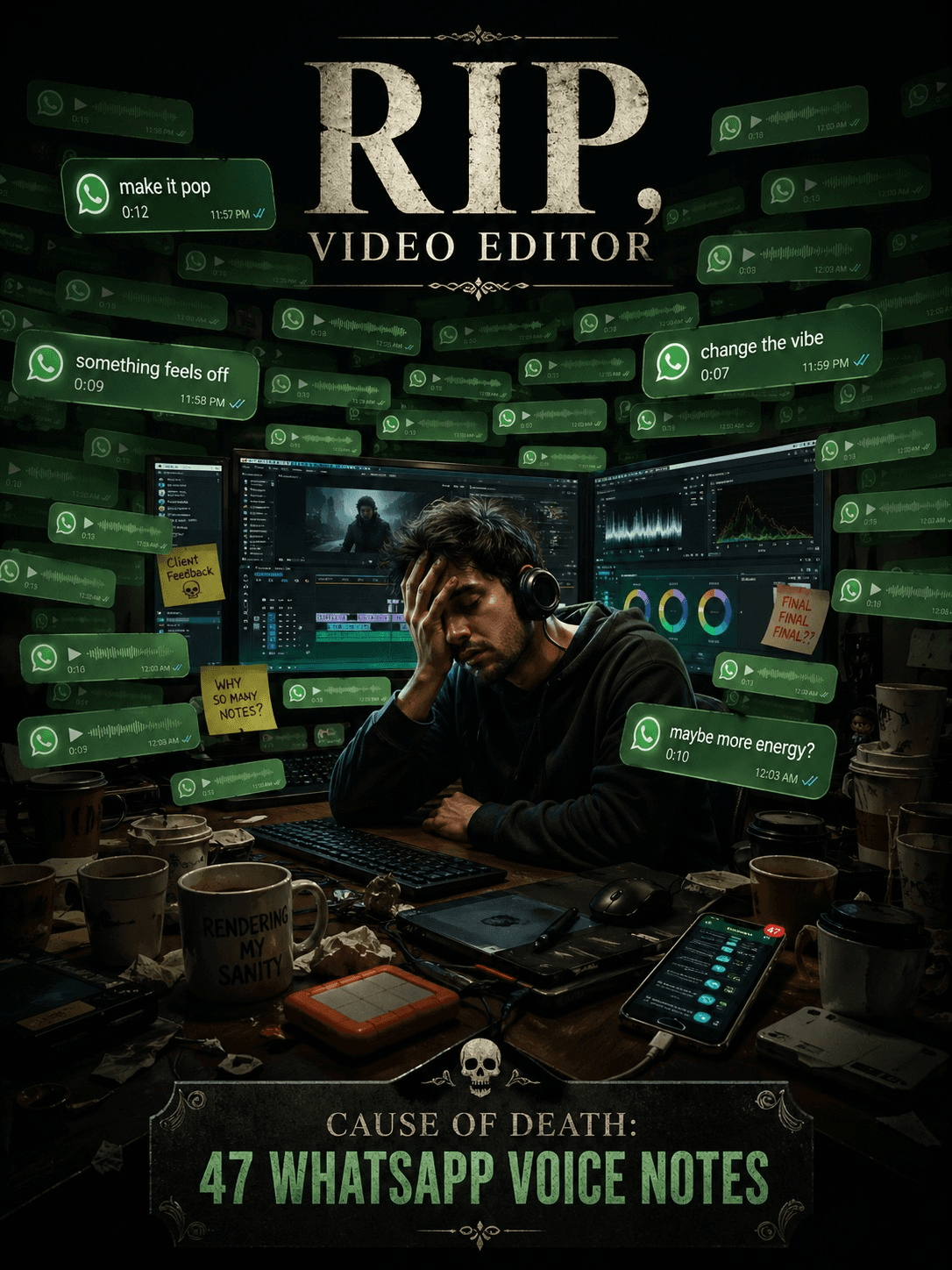
What clients experience
• Visual changes are hard to describe in text. “Make it punchier” means nothing and everything.
• Voice notes carry tone but no timestamp. The client is describing a moment they can see and you can’t.
• They have to constantly switch between the chat and the video player, losing their place in both.
• Their feedback gets buried under a payment question and a photo of someone’s dog.
• Group chats with four stakeholders turn into a debate the editor has to referee.
What editors and agencies experience
• Replaying the same voice note four times to extract three instructions.
• No link between a comment and the exact frame it refers to.
• No way to mark feedback as done, so you rebuild the checklist from scratch every round.
• Two team members read the same message and act on it differently.
• Old feedback resurfaces at V6 as though it were new.
And there’s a perception cost nobody mentions
Sending a Google Drive link and collecting feedback on WhatsApp makes a $10,000 project feel like a $100 project.
Clients rarely say this out loud. They just feel it. The work can be excellent and the experience still feels amateur, because the only thing a client can evaluate with confidence is the process. They can’t grade your color science. They can absolutely grade how many times they had to repeat themselves.
Why does email make video revisions even slower?
Email slows video revisions because it fragments a single conversation across multiple threads, forces visual feedback into paragraphs, and gives the editor no structure to act on. Every email must be manually converted into a task list before any editing can start.
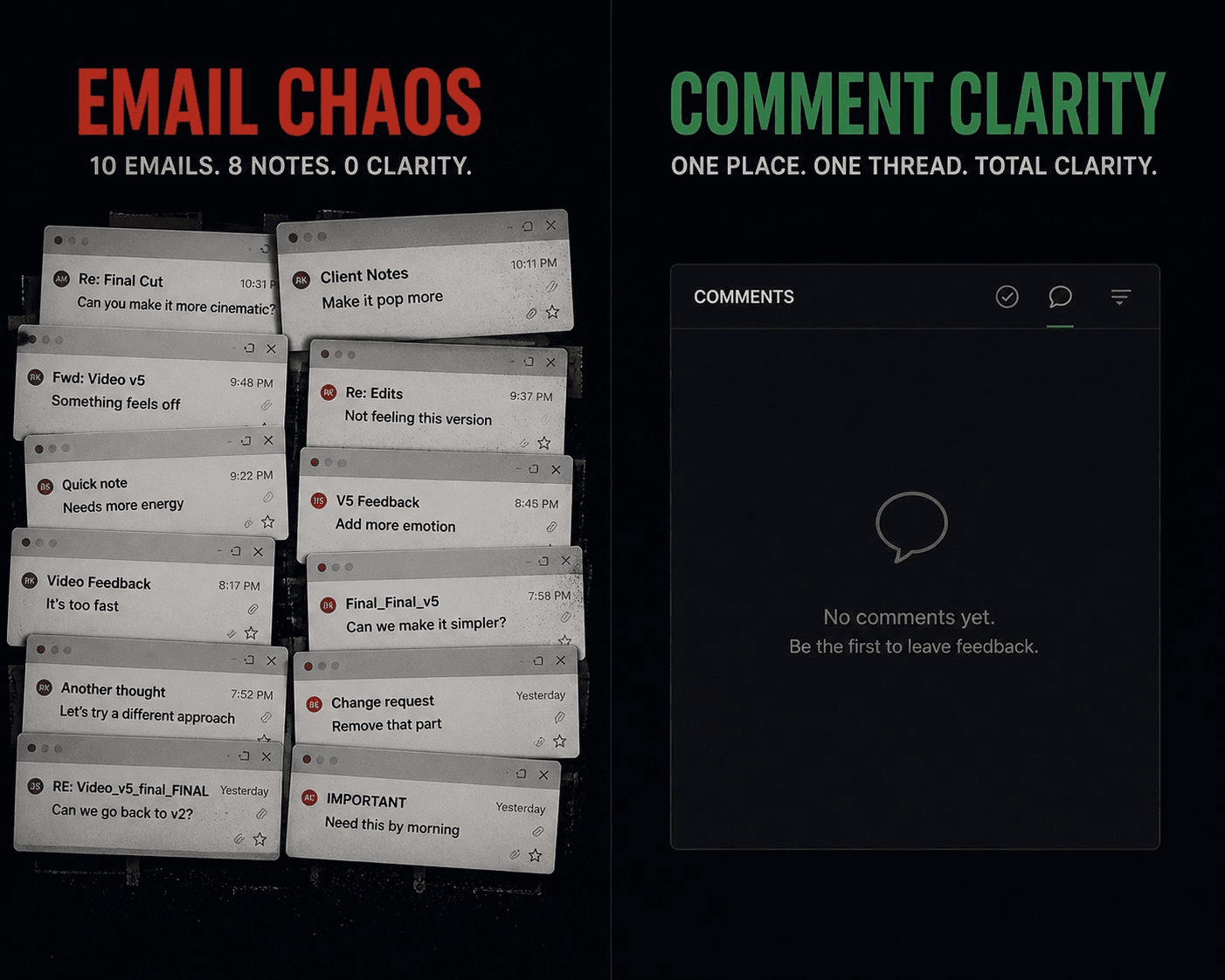
What clients experience
• Threads that fork, so nobody’s reading the same version of the discussion.
• Motion, pacing, and timing described in prose, which is like describing a song in a spreadsheet.
• Stakeholders replying to different threads on different days.
• Screenshots that arrive without context and get mixed up between versions.
What editors experience
• Manual conversion of paragraphs into an actionable list, every round.
• No way to prioritize — a typo fix and a full re-edit arrive with equal weight.
• Important comments buried in the fourth paragraph of a long message.
• Direct contradictions between stakeholders that the editor has to resolve without authority.
Most revision cycles don’t happen because editors missed the edit. They happen because editors missed the feedback.
Sit with that one. It reframes the entire economics of freelance editing. You are not being paid for a skill gap. You are absorbing the cost of an information gap.
Why isn’t Google Drive built for video review?
Google Drive is excellent at storing and sharing files, but it has no timestamped comments, no version comparison, no annotations, no approval workflow, and no review status. It tells you a file exists. It cannot tell you what state that file is in.
What Drive does well
• Storage
• Sharing
• Folder structure
What Drive does not do
• Comments tied to a specific second of the video
• Side-by-side version comparison
• Approval workflows
• Drawing or annotating directly on a frame
• Internal team notes kept separate from client notes
• Review status (“needs changes,” “approved,” “in review”)
The version problem, illustrated
Every editor has a folder that looks like this:
Final.mp4
Final_v2.mp4
Final_v2_latest.mp4
Final_v2_latest_final.mp4
Final_v3_clientchanges.mp4
Final_v3_clientchanges_final.mp4
Final_v3_clientchanges_final_USE_THIS_ONE.mp4
In 2012, Jorge Cham drew a comic for PhD Comics showing a file named FINAL.doc evolving into FINAL_rev.22.comments49.corrections.10.MORE.30.doc. It has been shared millions of times, in every creative industry, for over a decade — which is the tell. When the same joke lands for fifteen years across every profession that collaborates on files, it stopped being a joke about people a long time ago.
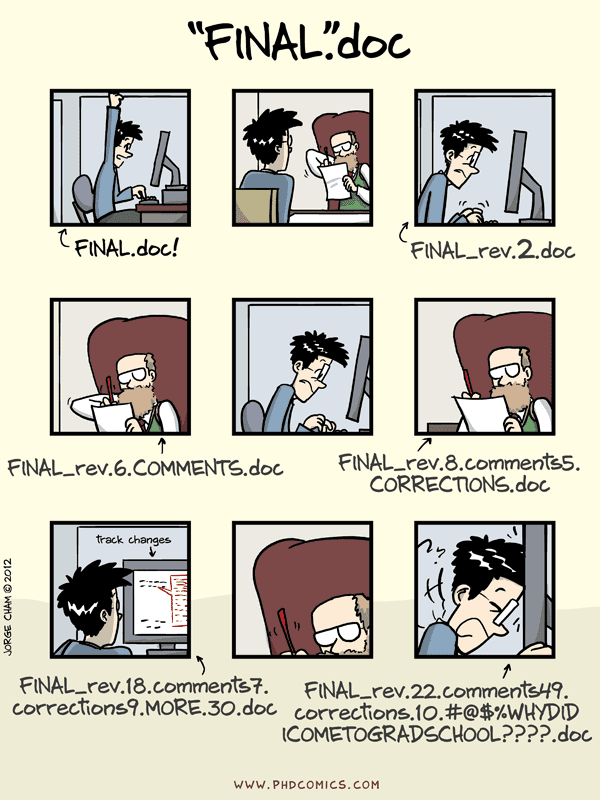
The fact that editors add “final” to a filename five times tells you that traditional file storage was never designed for creative collaboration.
What is the real cost of fragmented feedback?
This is the part nobody puts on an invoice.
1. Time spent understanding feedback instead of acting on it
A realistic accounting of one revision round:
Activity | Time |
Watching the video against the feedback | 10 min |
Listening to and re-listening to voice notes | 15 min |
Searching WhatsApp and email for related messages | 20 min |
Building a task list from scattered input | 10 min |
Messaging back and forth to clarify contradictions | 15 min |
Total admin | 70 min |
Actual editing required | ~15 min |
Roughly an hour of unpaid archaeology for fifteen minutes of paid work. Multiply by four revision rounds and three concurrent clients and you have found your missing week.
2. Versions that should never have existed
One missed comment does not cost you one comment. It costs you an entire version cycle:
• An extra export
• An extra render
• An extra upload
• An extra review round
• An extra 24–72 hours of calendar time waiting for stakeholders
V3, V4, and V5 frequently exist for a single reason: someone’s feedback was never visible to the person doing the work.
3. Client confidence, which is the expensive one
Watch the language shift as the rounds pile up:
• Round 2: “Looks great, just a couple of notes!”
• Round 4: “Did you see my message from Tuesday?”
• Round 6: “Didn’t I already mention this?”
• Round 7: “Why are we discussing this again?”
The video is getting better. The relationship is getting worse. And the client cannot tell the difference between “my editor is disorganized” and “our feedback process is disorganized,” so they attribute it to you.
Clients don’t judge editors only by the quality of the final video. They judge them by how smooth the review process feels.
What does an ideal video review workflow look like?
An ideal video review workflow keeps the feedback, the video, and the project status in a single place, with comments anchored to specific frames and a clear record of what’s been addressed.
Concretely, it should have:
• One link for the whole review, not a link plus three channels
• Frame-accurate comments tied to an exact timecode
• Voice notes attached to the timeline, so tone survives without losing position
• Annotations drawn directly on the frame for anything visual
• Internal notes and briefs stored beside the video, separate from client-facing comments
• Version history, so V4 doesn’t erase the context of V2
• Approval tracking, so “approved” is a state, not a vibe
• Status management across projects
• Due dates and priorities, so urgency is visible
• Review stages, so internal review and client review are distinct steps
Video editing is already hard. The review process should remove complexity, not add to it.
How Postjamm simplifies the entire process
Postjamm is built on a single premise: feedback should live where the video lives. Not near it. On it.
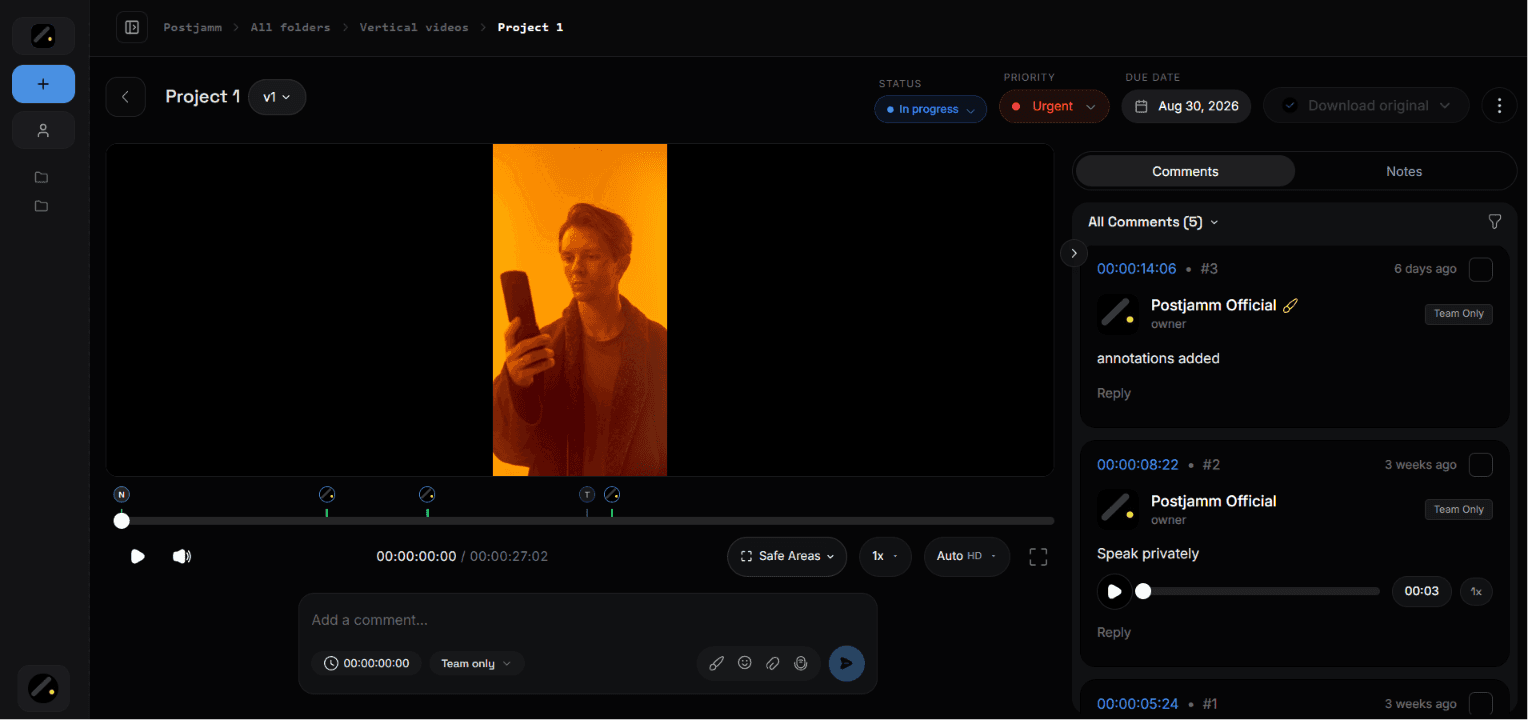
For clients
The client experience collapses to five actions, none of which require an account, a tutorial, or a new app on their phone:
• Open a link
• Watch the video
• Click anywhere on the timeline
• Leave a comment, record a voice note, or draw directly on the frame
• Done
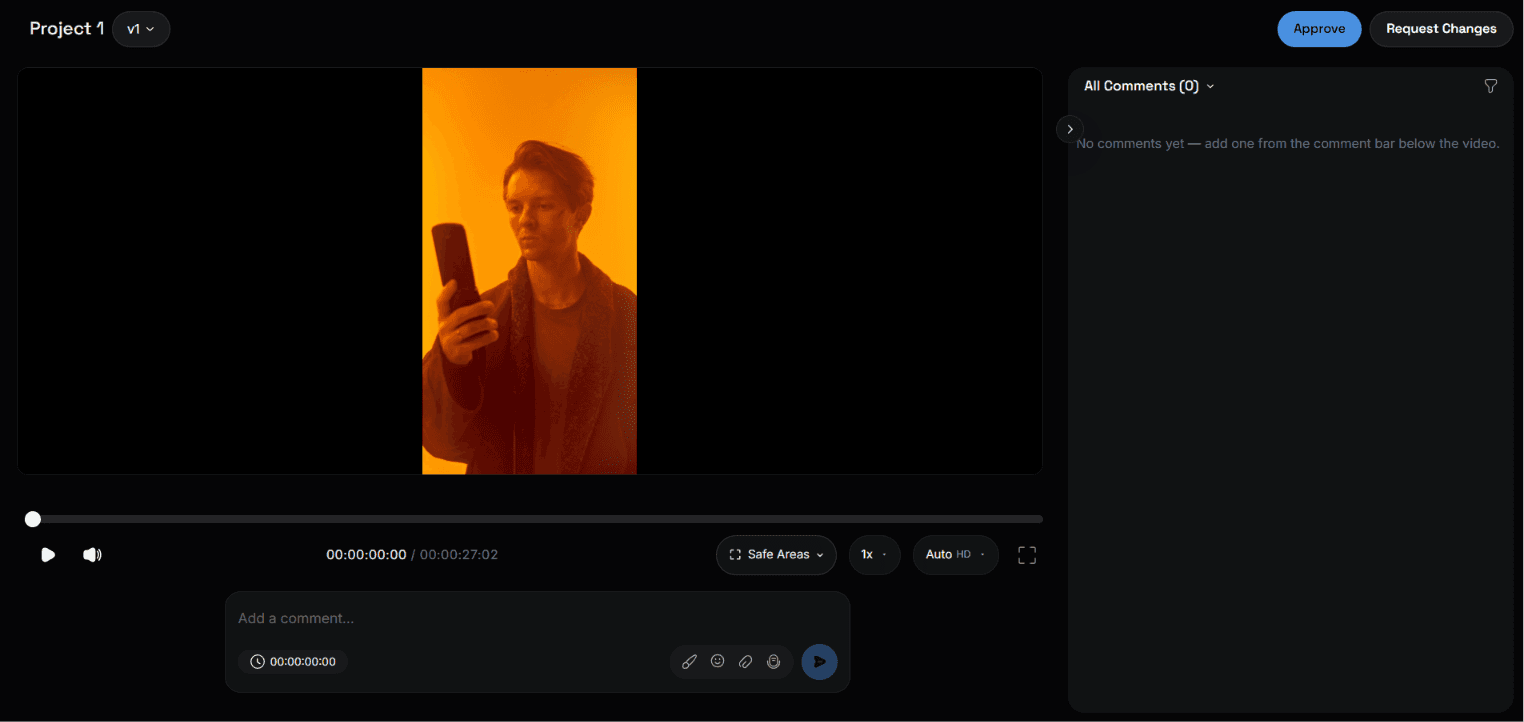
No long emails. No WhatsApp thread. No describing a moment in words when they can just point at it. When a client says “here,” the comment already knows what “here” means.
For freelancers
• Organize every client and project into folders
• Keep the brief, the references, and your own notes next to the video
• Manage every version in one place instead of one filename
• Mark feedback as addressed, so nothing resurfaces at V6
• Never lose a comment because it arrived in the wrong app
• Hand the client an experience that matches your rate
Freelancers don’t lose clients because they are bad editors. They lose clients because their workflow makes them look less organized than they actually are.
For agencies
• Team collaboration with clear ownership per comment
• Project statuses visible across the whole roster
• Priorities and due dates that everyone can see
• Distinct review stages for internal QC and client review
• Internal notes kept strictly separate from client notes
• Full version history for accountability when a client asks “when did we approve this?”
• Feedback managed across many projects at once, instead of many chats at once
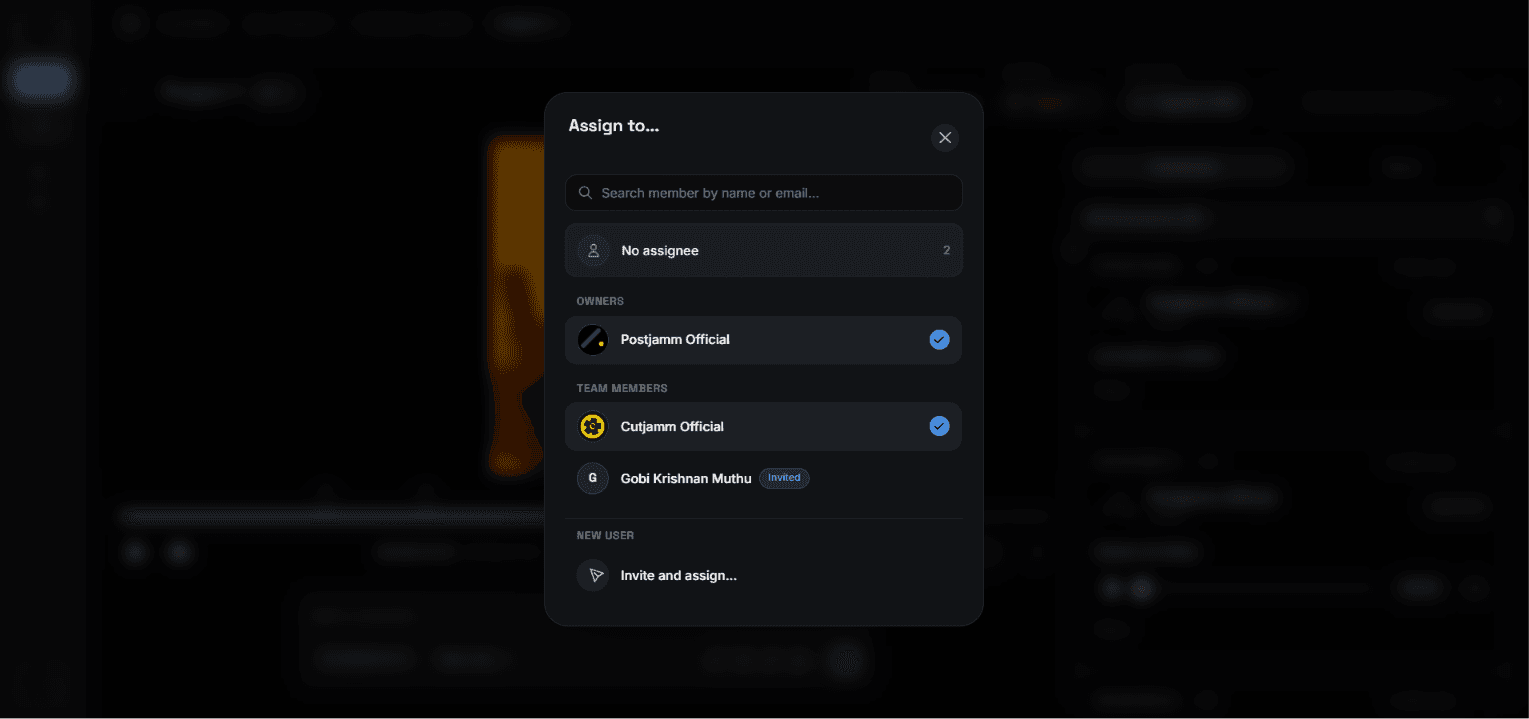
Traditional workflow vs Postjamm: a side-by-side
Task | Traditional workflow | Postjamm |
Sharing the video | Google Drive + WhatsApp | One link |
Collecting feedback | Email + voice notes | Timeline comments |
Voice messages | Attached to the exact second | |
Notes and briefs | Google Docs | Inside the project |
Project tracking | Excel or memory | Built in |
Versions | Multiple files, one folder | Version history |
Approvals | Email confirmation | Inside the project |
Knowing what’s done | Scrolling back | Status on every comment |
Stop managing feedback. Start managing projects.
Maya still tells the V7 story, but it ends differently now. She sends one link. The founder leaves a comment at 00:14. The marketing manager records a voice note pinned to 00:47. The CEO, who never joined any WhatsApp group in his life, opens the same link from his email and draws a circle around the logo.
Three stakeholders. One place. Zero archaeology.
The video didn’t get easier to edit. The project got easier to run.
Most video editors think they have an editing problem. In reality, they have a feedback problem.
The best editors are not just good at editing. They are good at making collaboration effortless.
Here’s what that looks like in practice:
11. Create a project
12. Upload the video
13. Share one link
14. Collect frame-accurate feedback
15. Track what’s been fixed
16. Deliver faster, with fewer rounds
You already know how to edit. This is the other half of the job — the half nobody teaches, the half that decides whether a client comes back.
Frequently asked questions
What is the best way to collect client feedback on a video?
The best method is a review platform where clients can comment directly on the video timeline, so every note is tied to an exact timestamp. This removes ambiguity about which moment is being discussed and creates a single record of all feedback across every stakeholder. Collecting feedback across WhatsApp, email, and calls forces the editor to manually reassemble it, which is where most missed comments originate.
Why do video projects go through so many revision rounds?
Most extra revision rounds are caused by missed or misunderstood feedback, not by poor editing. When comments arrive across several channels, some are never seen by the editor, and each missed comment triggers an entirely new version cycle including a re-export, re-upload, and another round of stakeholder review.
Is WhatsApp good for sharing videos with clients?
WhatsApp is convenient for notifications but poor for video review. It compresses video quality, offers no timestamped comments, buries feedback under unrelated messages, and provides no way to track whether a note has been addressed. It also gives clients no way to point at a specific frame.
Can you leave timestamped comments on Google Drive videos?
Google Drive supports comments on a file, but not comments anchored to a specific second of video playback, and it offers no annotation tools, version comparison, approval states, or review status. Drive is built for storage and sharing, not for creative review.
How many revision rounds should a video editor include?
Two to three rounds is a common industry standard for most commercial work, with additional rounds billed separately. The number matters far less than the structure — editors using a centralized review process typically need fewer rounds, because each round captures complete feedback the first time.
How do you handle feedback from multiple stakeholders on one video?
Bring every stakeholder into a single review link so they can see each other’s comments before adding their own. This surfaces contradictions early, prevents duplicate notes, and removes the editor from the position of mediating between people who never spoke to each other.
What should a video review tool include?
At minimum: timestamped comments, on-frame annotations, voice notes attached to the timeline, version history, approval tracking, review status, and a separation between internal notes and client-facing feedback.
Why do clients prefer sending voice notes for video feedback?
Voice notes are faster than typing and carry tone and emphasis that text loses. The problem is not the voice note itself but where it lands. A voice note attached to a specific timestamp on the video keeps the speed and the tone while adding the precision that a chat app can’t provide.
Key takeaways
• Editing time is rarely the bottleneck. Feedback interpretation is.
• Every extra app in the review chain raises the odds a comment gets lost.
• WhatsApp lacks timestamps. Email lacks structure. Drive lacks status. None were built for video review.
• One missed comment doesn’t cost one comment — it costs a full version cycle.
• Clients grade the process, because it’s the only part of the work they can evaluate with confidence.
• A single link with frame-accurate comments removes most of the problem before it starts.